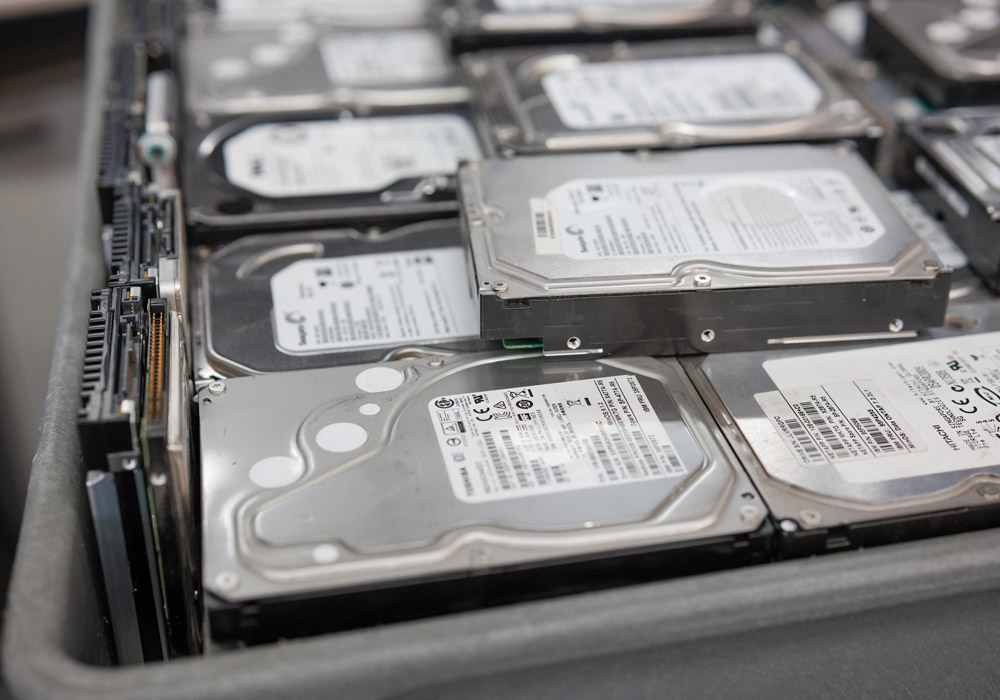
The email is four lines long and arrives without warning. A customer’s security team wants evidence that the data on 240 decommissioned drives is gone. Sometimes it is an insurer. Sometimes a regulator. The refresh that produced those drives finished fourteen months ago. Somewhere in a shared folder sits a printed inventory list, a haulage booking, and a one-page certificate. It is signed by a company nobody in the room recognises. None of it connects a single drive to a documented outcome. Nobody can build that link now.
The shredding was never the hard part. The proving is.
Enforcement actions live in the gap between “we disposed of it” and “we can show what happened to serial number WCC4E1234567 on a specific Tuesday.” The SEC’s 2022 action against Morgan Stanley Smith Barney is the case everyone cites. The firm hired a moving company with no data destruction experience to decommission thousands of hard drives and servers. Those devices were resold to third parties with customer information still on them. Roughly 15 million people were affected. The SEC’s penalty in that action was $35 million. You will see larger totals attached to the same episode elsewhere, because separate settlements and later penalties get folded together. Name the action a figure came from, or the number stops being evidence.
You may be the person asked to prove the drives were handled properly. Here is the path from the rack to the certificate. It forks twice: once on the media you are holding, and once on the obligation you are under.
The Five Handoffs Where Drives Go Missing
Chain of custody sounds like paperwork. In practice, it is five moments where a physical object changes hands. Each one is a place where your count can drift.
- The pull. A tech removes drives from chassis. Capture each serial against the asset tag of the machine it came out of. Skip that and the link between “server we retired” and “drive we destroyed” is broken before anything ships.
- The staging area. Drives sit somewhere between the pull and the pickup. This is the least controlled space in the process and usually the least documented. A cage with a lock and a sign-in sheet is not overkill.
- The transport. Whoever loads the truck attests to a count. Whoever unloads it attests to the same count. Record those two numbers independently and reconcile them, and you have a real handoff. If the driver signs one sheet, you have a receipt.
- The receiving scan. The vendor should scan every serial on arrival and give you back a list you can compare against what you sent. Discrepancies at this stage are normal and survivable. Discrepancies found eighteen months later are not.
- The sanitization or destruction event itself, with the result recorded per drive.
Most programs document the first and the last, and treat the middle three as logistics. The middle three are where drives walk off.
Step One: What Media Are You Holding?
The method follows the media. That is physics, not preference. Getting it wrong is the most common technical failure in drive disposal.
Spinning disks (SATA and SAS HDDs)
Magnetic platters. These respond to overwriting, to degaussing, and to shredding. A verified single-pass overwrite is generally enough for a modern drive. It also keeps the drive functional, which matters if you plan to recover value. Degaussing works here too, because there is a magnetic field to disrupt. It leaves the drive dead.
SSDs and NVMe
Flash memory is a completely different problem. Wear leveling and over-provisioning put the controller in charge of where data physically lands. Overwriting user-addressable space does not reliably reach every cell. Drilling a hole through an SSD is theater; the NAND packages around the hole are intact.
Degaussing does nothing to an SSD. There is no magnetic domain to erase. Any vendor who tells you the degausser handles your flash inventory has told you something useful about the vendor.
Three things do work. The manufacturer’s own secure erase command, meaning ATA Secure Erase or NVMe Format with a sanitize action. Cryptographic erase, where the drive is self-encrypting. Or shredding to a particle size small enough to break individual NAND chips, not merely separate them.
Self-encrypting drives
If the drive encrypted everything on the way in and you destroy the key, the ciphertext left behind is not recoverable in any practical sense. Cryptographic erase is fast and it scales. It is the only method on this list that finishes in seconds. Everything then rests on the key: properly generated, properly protected, then genuinely zeroized. That is why auditors ask for the key management story alongside the erase confirmation.
Data tape and the odds and ends
LTO and 3592 cartridges are magnetic, so degaussing and overwriting both apply. Tape is also the one media type where reuse often beats destruction. External USB drives, laptop drives pulled during a refresh, the old NAS in the branch office: same problem as their internal equivalents. They just tend to be missing from the inventory. Nobody thinks of them as data center assets.
One thing that does not change the method: the label on the drive. Seagate, Western Digital, Toshiba, Samsung, SanDisk, Hitachi. The controller and the interface decide what you can do. The brand decides almost nothing.
Step Two: What Obligation Are You Under?
Media type tells you what is possible. Your regulatory position tells you how much proof you need and how long you have to keep it.
- Healthcare and anything touching protected health information. HIPAA makes the covered entity responsible for disposal. Using a vendor does not move that responsibility. It creates a business associate relationship you have to paper.
- Financial services. GLBA, SOX, and PCI DSS all push toward documented destruction with retained evidence. The SEC action above shows what vendor selection failure looks like there.
- FERPA governs student records, including the ones on the drive in the registrar’s old workstation.
- Federal and federal-adjacent. FISMA and the agency’s own policy usually specify the sanitization category and the records retention period outright.
- Everyone else. Your obligation is contractual, not statutory. A customer’s data processing agreement, a cyber insurance policy condition, or a SOC 2 control. Each says the same thing: a documented media disposal process, plus evidence it was followed.
That last group is larger than people expect. It usually discovers the requirement during a customer security review, not an audit.
The Routing Decision: Sanitize, Destroy, or Both
Put the two answers together, and the decision usually resolves quickly.
If the media is magnetic, the drives are healthy, and your obligation permits verified sanitization, wipe them. You keep the resale value. On a 240-drive lot of recent enterprise SAS, that is not a small consideration. You still get a per-drive record.
If the media is flash, use the controller’s sanitize command or cryptographic erase, and verify. A drive that refuses the command, has failed, or will not report success goes to physical destruction. There is no middle path with a bad SSD.
Shred the drive when the obligation says destroy, when the drive is dead, or when the data class is high enough that nobody wants to defend a wipe in a deposition. You have converted an asset into scrap value. Move on.
Worth knowing if your policy documents cite a standard. NIST replaced the 2014 version of its media sanitization guidance in September 2025. SP 800-88 Revision 2 shifts the document away from a hands-on technique manual and toward running a sanitization program. It aligns with SP 800-53 and ISO/IEC 27040, and points to IEEE 2883 for the technique detail instead of restating it. The familiar Clear, Purge, and Destroy categories from Revision 1 are still what most vendor certificates and internal policies reference. That revision was formally withdrawn in September 2025. If your policy says “NIST 800-88” with no revision number, the ambiguity is now worth ten minutes of somebody’s time.
A caveat on wiping in-house. Plenty of teams do it well. It is also where the evidence tends to be thinnest, because the tool’s log lives on a laptop and nobody exports it. If you erase internally and then sell or recycle, keep the tool output as a file, per serial, with everything else.
What a Defensible Certificate of Destruction Contains
Most certificates are one page. They say the work was completed. They are signed. A page like that records that a transaction occurred, and that is all an auditor will ever get from it. A certificate that survives an audit is closer to a report. It carries fields that let a stranger reconstruct what happened.
- Every serial number, individually. Not a count, not “one pallet of hard drives,” not an asset tag range. The serial is the only identifier that ties the drive back to the machine it came out of.
- The method used, per drive, named specifically. That means “NVMe sanitize, block erase, verified” and not “wiped”.
- The result, per drive, including the failures. An exceptions list is a sign of a real process: four drives refused the sanitize command, so all four were shredded. A certificate with a 100 percent clean pass rate on 240 mixed-age drives should make you curious.
- The date and the physical location where the sanitization or destruction happened, and whether it was on-site or at a facility.
- The reconciliation. What you shipped, what arrived, what was processed, and the explanation for any gap between those three numbers.
- The attestation: the operator or technician, the company, the standard applied, and a report identifier you can quote in an email two years from now.
- The vendor’s own certification scope, with the certificate number. Confirm it covers the facility that did the work, not just the head office.
Assembling all of that is a records problem more than a shredding problem. Two items belong in the contract, not in a hopeful reading of the certificate afterwards. Destruction records itemized by serial number. Custody tracked at every transfer. Both belong in the written quote from every vendor on the shortlist, Big Data Supply included. Firms that already itemize destruction by serial and log each handoff will commit to them without qualification, and hedging from a used hard drive buyer that serves regulated sellers is itself the answer.
A certificate that cannot be matched line by line against your own asset inventory proves only that a truck came.
Who Is Liable at Each Handoff
Here is the part people get wrong. The certificate does not transfer liability. It is evidence that you exercised reasonable care, which is a different and lesser thing.
From the moment the drive leaves the rack until the moment it is verifiably sanitized, the data owner remains the data owner. Regulators do not accept “our vendor said they handled it” as a defense. Read the Morgan Stanley order and it is a vendor selection and vendor oversight story, not a shredding story. The moving company did what moving companies do. The failure was upstream of them.
Practical version of the liability question at each stage:
- Internal staging: entirely yours, and usually undocumented.
- Transport: shared in theory, yours in practice, unless the certified vendor performs it under a contract that says so.
- Vendor custody: the vendor owns the process and typically indemnifies against its own failure up to a contract cap. That cap is often a fraction of what a notification event costs.
- Downstream of the vendor: the one nobody checks. If the vendor resells drives or sends material to a downstream processor, ask what happens there. Certification programs like R2v3 require downstream due diligence for exactly this reason.
Two questions worth asking before signing anything: which specific facility will process the drives, and whether the certification covers that facility. Multi-site vendors sometimes hold certification at one location and process at another.
Building the File Before Anyone Asks for It
The compliance file is small. It just has to exist before the request arrives, not after.
Keep seven things per project. The outbound inventory with serials. The vendor’s receiving scan. The certificate with per-drive results. The exceptions list. The transport documentation. A copy of the vendor’s current certification. The contract clause that assigns responsibility. Store the set where the security team can find it without asking you. At some point they will need it while you are on vacation.
Retention depends on your regulator. Most auditors accept the longer of two periods: your general records retention policy, and the retention period for the data class that was on the drives. Six years covers most healthcare and financial cases. Ask your counsel before you settle on a number.
One more habit: reconcile the certificate against your asset register the week it arrives, not at audit time. Discrepancies are easy to resolve while the vendor still has the receiving photos and the technician still remembers the job.
Frequently Asked Questions
Does degaussing work on SSDs?
No. Degaussing disrupts magnetic fields, and flash memory does not store data magnetically. It works on hard disk drives and on magnetic tape such as LTO and 3592. SSDs and NVMe drives need one of three things. The manufacturer’s sanitize or secure erase command. Cryptographic erase on a self-encrypting drive. Or shredding to a particle size small enough to break the individual NAND packages.
Is a certificate of destruction enough on its own for an audit?
Usually not. It is the endpoint of a record. An auditor wants the chain leading to it: what you sent, what the vendor received, how the two reconcile, and what happened to any drive that could not be processed. A certificate with no matching inventory on your side proves a vendor did some work. It does not prove your drives were among it.
Should serial numbers appear on the certificate?
Yes, and it is the single most useful test of whether a certificate is worth anything. Serial-level reporting is what lets you match the destruction record to your own asset register. Counts and pallet-level descriptions cannot be reconciled against anything.
Can we wipe drives in-house and still sell them?
Yes. For healthy magnetic drives, it is often the sensible route, since sanitization keeps the drive functional and preserves resale value. Shredding does not. Export and retain the erasure tool’s per-drive log, because that log is your evidence. Many buyback programs re-sanitize on receipt and issue their own certificate. That gives you a second independent record at no extra effort.
How do external and laptop drives fit into all this?
Technically, they are the same problem. An external USB drive is a hard disk or an SSD in a plastic shell, and the method follows the media inside. The difference is administrative. These drives usually are not in the asset register. So they never reach the inventory list, and they sit in a desk drawer for three years. Sweep for them at the start of a decommissioning project, not the end.
Whose Problem the Drive Stays
Every drive disposal program eventually gets tested by someone who was not there. That person cannot inspect a shredded platter or re-run a sanitize command. All they can do is read what you kept.
So the outcome is settled long before the shredder, in two unglamorous places. Whether the serial numbers were captured at the pull. Whether anybody reconciled the vendor’s receiving scan against what left the building. Get those two right and the certificate is a formality. Skip them and no certificate, from any vendor, at any price, closes the gap.
Independent research keeps making the same point. A study of used storage devices bought on eBay found that 42 percent still held recoverable data and more than 15 percent held personally identifiable information, as covered by Recycling Today. Those drives all came from organizations that believed they had disposed of them.
That belief is the trap. The obligation to prove sanitization sits with the organization that generated the data, and it stays there. It does not pass to the hauler, the shredder, or the processor two links down the chain. Title to the hardware transfers when the pallet leaves the dock. The duty to show what happened to it never does.