Sports writing has changed dramatically over the past decade. A journalist no longer needs to be sitting in a press box or newsroom to produce quality coverage. With a laptop, reliable internet connection, and the right collection of digital tools, a sports writer can research, report, edit, publish, and promote stories from almost anywhere.
Remote sports writing does come with its own challenges, though. Writers need to keep up with live games, find reliable information quickly, communicate with editors, organize assignments, and produce engaging content on tight deadlines.
Fortunately, there are plenty of tools that can make the process easier. Here are 10 useful tools for remote sports writers.
1. Google Docs for Writing and Collaboration
Google Docs is one of the simplest tools a remote writer can have in their workflow.
Because documents are stored online, writers can access their work from different devices without constantly moving files between computers. It is also particularly useful when working with editors because multiple people can review and edit a story without creating multiple versions of the same document.
Comments and suggested edits make it easy to discuss changes without lengthy email conversations.
For freelance sports writers working with several publications, keeping separate folders for assignments, published articles, research, and pitches can also make Google Docs a useful organizational system.
2. Trello for Managing Assignments
Remote writers often have several stories in different stages at the same time.
Trello can help organize that workload using boards and cards. A writer could create columns such as “Ideas,” “Assigned,” “Researching,” “Writing,” “Editing,” and “Published.”
This is particularly useful during busy sports seasons when multiple games may need to be covered in a single week.
A card can contain the assignment details, deadline, relevant links, notes, and interview information, giving the writer a single place to keep everything associated with a story.
3. Vecteezy for Editorial Photos
Finding an appropriate image can be surprisingly time-consuming for a remote sports writer.
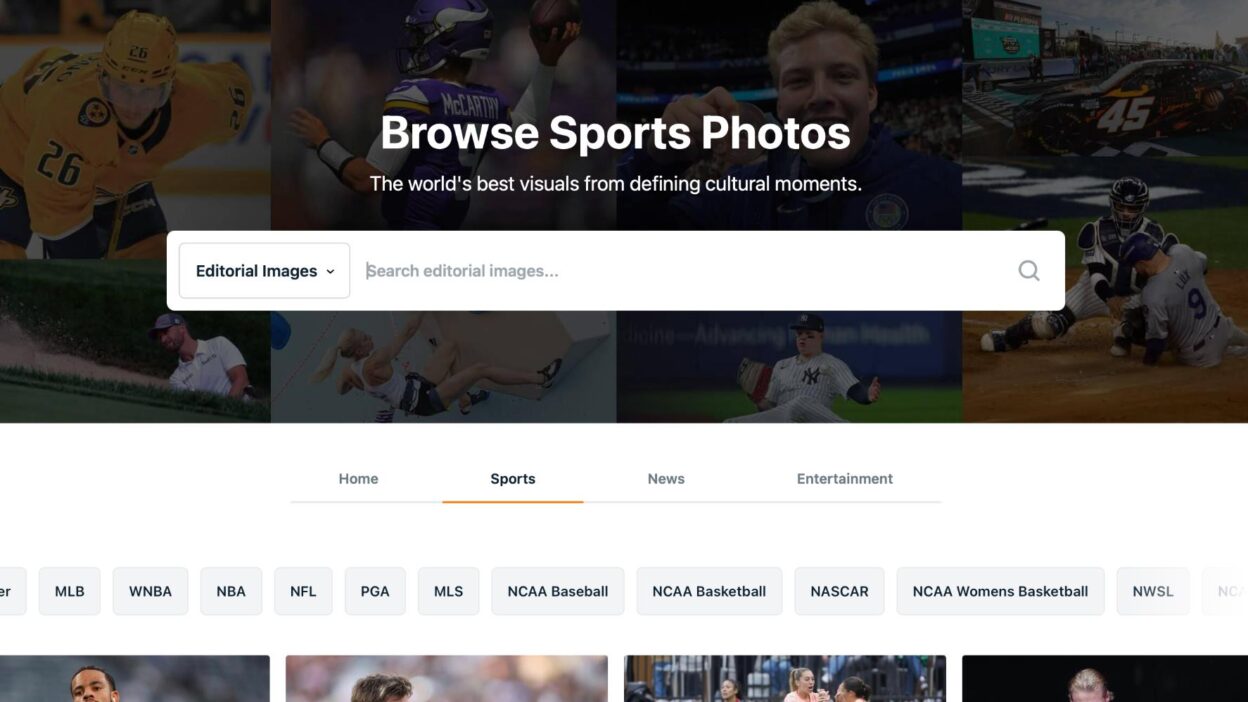
Vecteezy can be useful for finding visual content to accompany articles, including editorial sports photography covering teams, athletes, games, and events.
For writers who aren’t physically attending a game, access to relevant photography can help make coverage feel more connected to the event.
The important thing is to check the licensing requirements for the particular image and publication before using it.
4. Grammarly for Editing
Even experienced writers can miss typos when working quickly.
Grammarly can provide an additional editing layer by identifying spelling, grammar, punctuation, and clarity issues. It can be particularly useful when writing on tight deadlines, such as immediately after a game.
It shouldn’t replace a proper editorial review, but it can catch small mistakes before an article is submitted.
For remote writers who don’t have an editor reviewing every sentence, having an automated second check can be especially useful.
5. Google Meet for Interviews
Remote sports writers frequently need to interview players, coaches, analysts, executives, or other people involved in sports.
Google Meet provides a straightforward way to conduct video interviews without requiring everyone to be in the same location.
Video interviews can also be more useful than email exchanges because they allow writers to ask follow-up questions and explore interesting answers in real time.
For longer interviews, writers can combine a video-conferencing tool with a transcription service to make the editing process faster.
6. Otter.ai for Transcription
Interview transcription can consume a significant amount of a journalist’s time.
Otter.ai can turn recorded conversations into text, allowing writers to spend less time manually typing interviews.
This can be particularly helpful for remote sports journalists who conduct several interviews each week.
However, automated transcription isn’t always perfect. Names, team terminology, player names, and sports-specific language can sometimes be misinterpreted. Writers should always listen back to important quotes before publishing them.
7. Slack for Communicating With Editors
Email can quickly become difficult to manage when working with a remote editorial team.
Slack gives writers and editors a place to communicate in real time. Teams can create channels for different sports, publications, projects, or assignments.
A writer covering the NFL, for example, could have a dedicated channel for game-day assignments, while editors can quickly share changes to deadlines or coverage plans.
It also keeps short conversations out of email inboxes, which can make the overall workflow easier to manage.
8. Canva for Quick Graphics
Not every sports story needs a complicated graphic, but visual content can help an article stand out.
Canva makes it possible to create simple graphics without requiring advanced design skills.
A sports writer could create a basic player comparison, game preview graphic, quote card, or social media image.
This can be particularly useful for independent writers who are responsible for both the article and its promotion.
The key is to keep graphics simple and accurate. A poorly designed graphic can distract from an otherwise strong story.
9. Google Trends for Finding Story Ideas
Remote writers need to understand what audiences are actually interested in.
Google Trends can help identify changes in search interest around players, teams, events, and sports topics.
For example, after a major trade or unexpected performance, a writer can look at search trends to see which questions and topics are attracting attention.
This can help generate article ideas beyond the obvious game recap.
Instead of simply writing about what happened, a writer can identify what fans are trying to understand after the event and build a story around those questions.
10. A Reliable Sports Statistics Platform
One of the most important tools for any sports writer is a reliable source of statistics.
Depending on the sport being covered, this could include league websites, official team statistics, established statistical databases, or specialized analytics platforms.
Statistics can help turn a basic story into more meaningful analysis.
For example, an NFL writer covering a quarterback’s performance might look beyond passing yards and touchdowns. Completion percentage, efficiency, pressure statistics, rushing production, and situational performance can provide additional context.
The same principle applies to baseball, basketball, soccer, hockey, and virtually every other sport.
Writers should always verify important statistics against reliable sources before publication.
Building a Remote Sports Writing Workflow
Having useful tools is only half the equation. The real advantage comes from combining them into an efficient workflow.
A remote sports writer might start the day by checking assignment deadlines in Trello and monitoring news and search trends for potential stories. Research and statistics can then be collected before drafting the article in Google Docs.
If an interview is required, Google Meet can be used for the conversation and Otter.ai can help with transcription. Grammarly provides another editing check before the story is submitted.
Finally, Canva can be used to create supporting social graphics, while an appropriate editorial photograph can help complete the article.
The exact combination will vary depending on the writer and publication, but the basic idea is the same: technology should remove repetitive tasks so the writer can spend more time reporting and telling stories.
Technology Doesn’t Replace Good Sports Writing
The biggest advantage of these tools isn’t that they make sports writing automatic. It is that they give writers more time to focus on the parts of the job that technology cannot easily replicate.
Finding an interesting angle, asking a good interview question, understanding a player’s performance, recognizing an important storyline, and telling a compelling story still require hu